

Series
Introduction
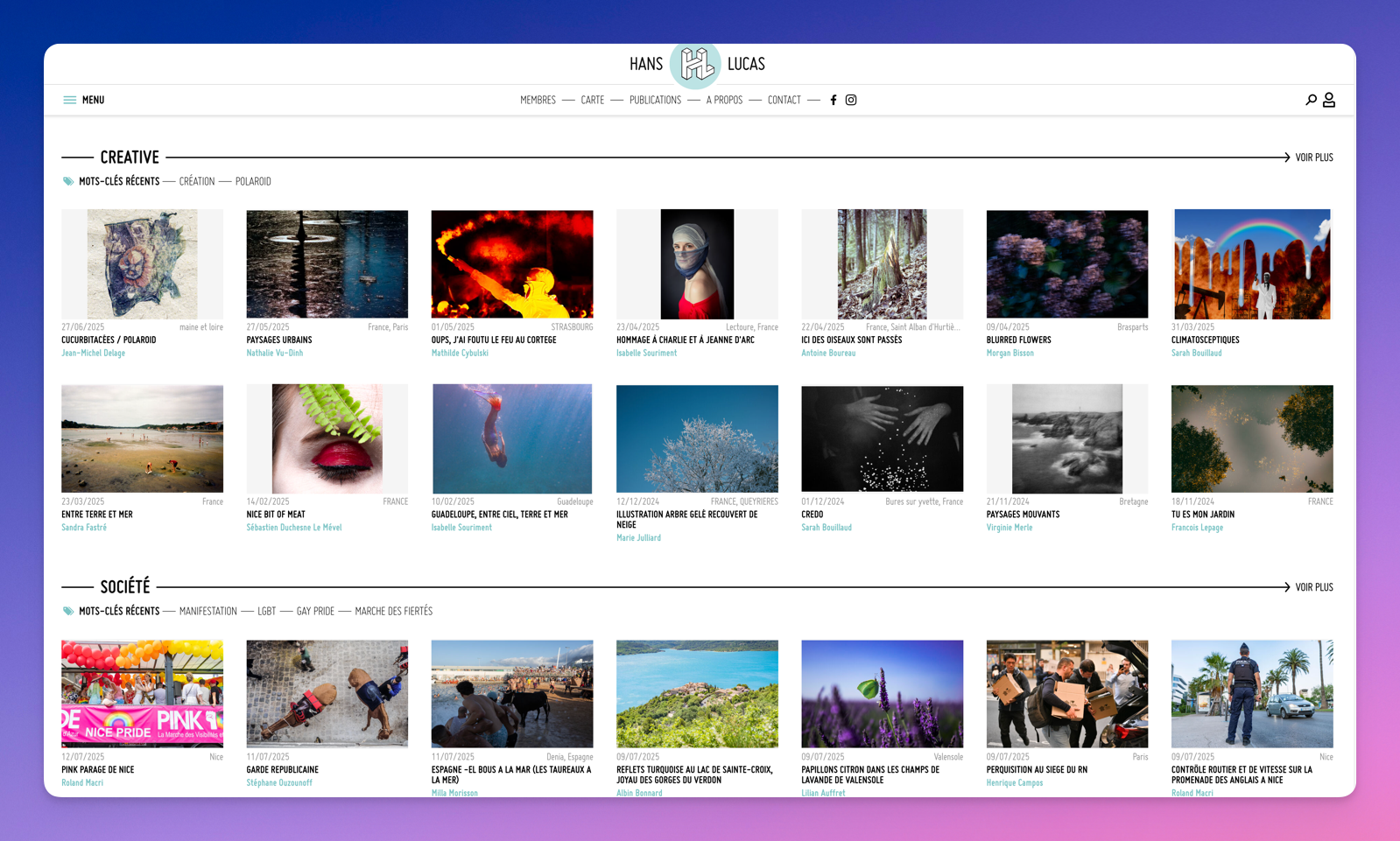
MDALL—and by extension Hans Lucas—relies on the principle of image series. Whenever you cover a topic, you must import your photographs into a series to publish them.
Consider the series as the editorial framework that contextualizes your work. For example, if you cover Bastille Day in Paris and have around twenty images on that topic, group them into a series dedicated to the event.
Create a series
Once logged into MDALL, open the “Series” tab and click “Add Series” to create a new set.
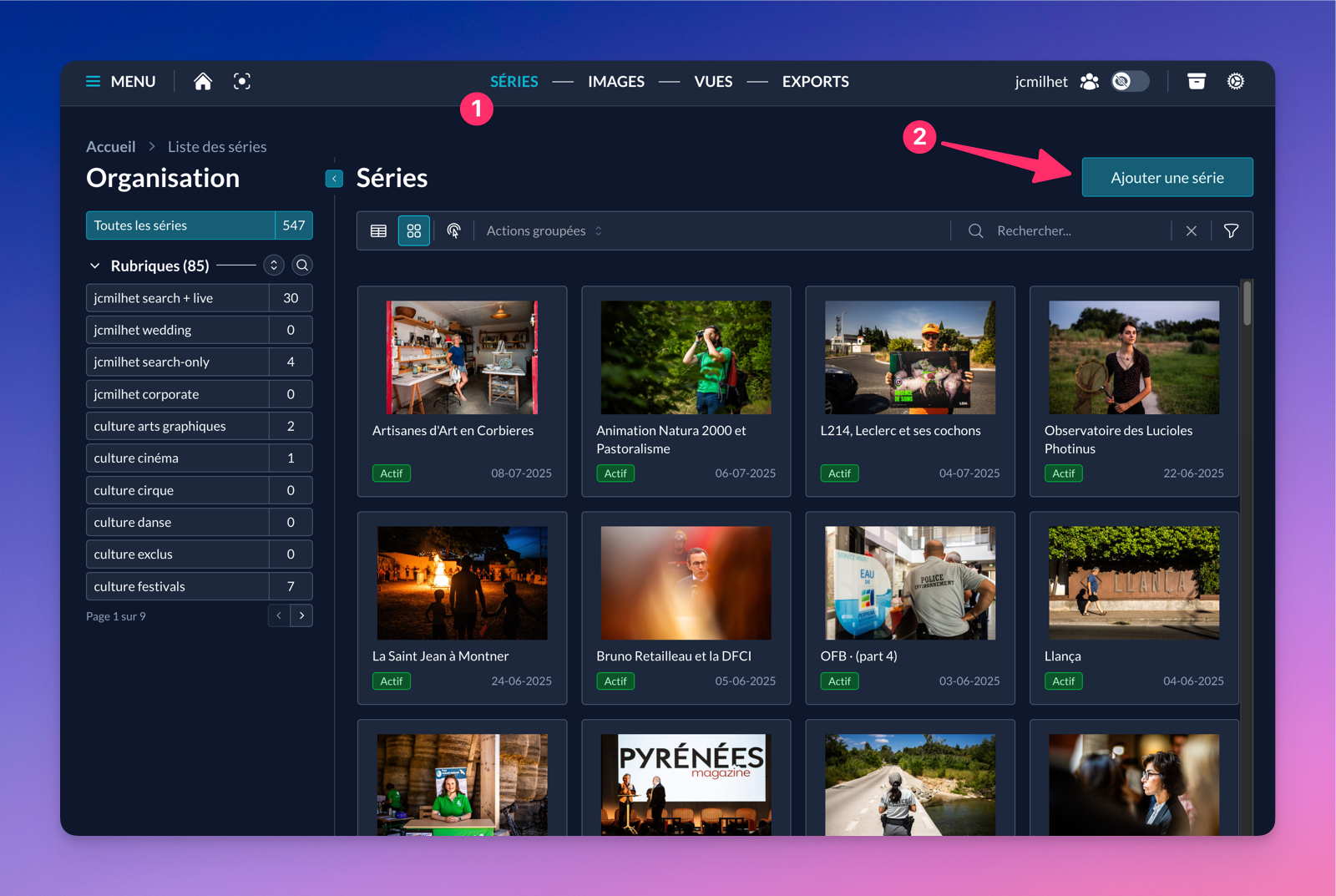
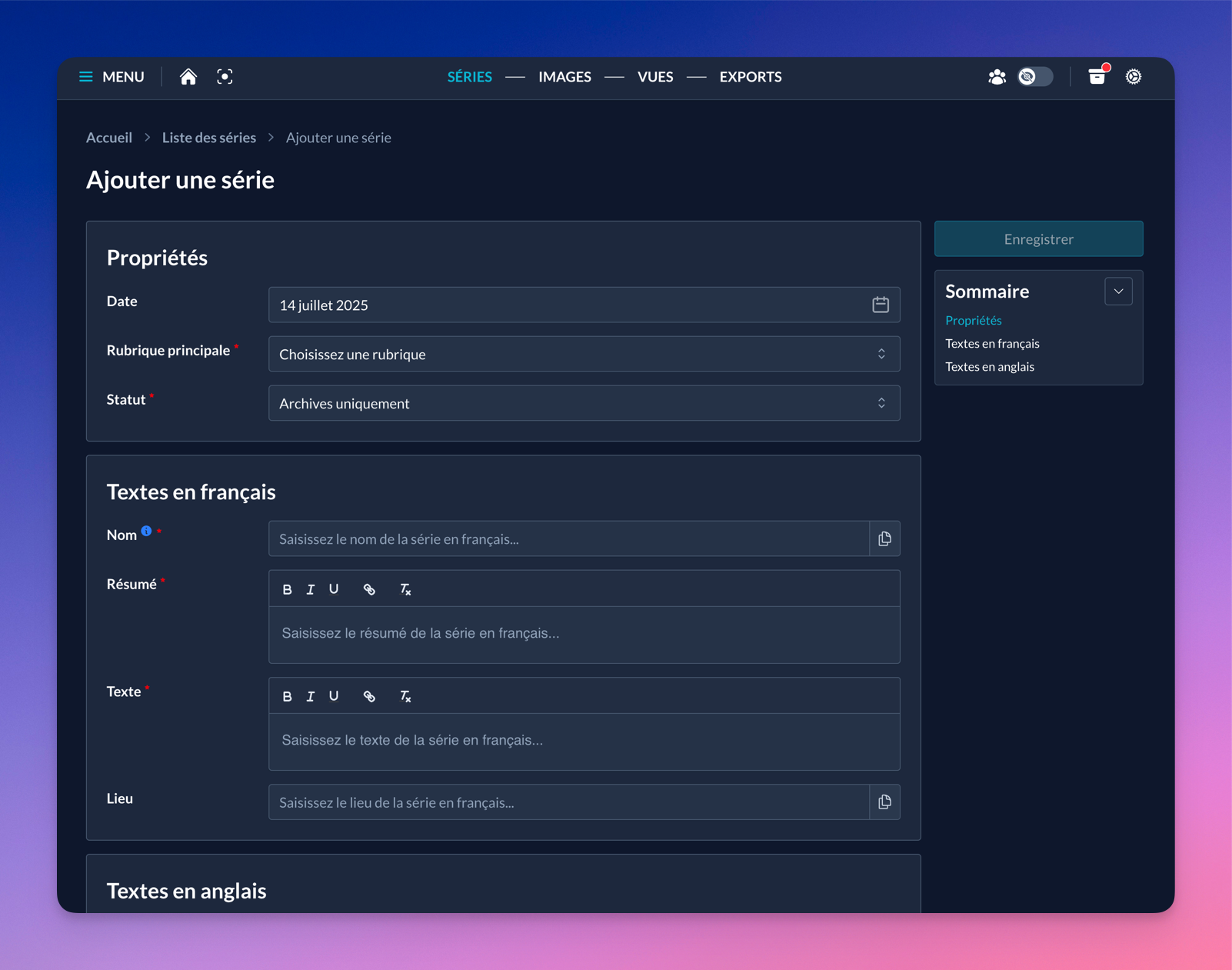
The creation page only shows the fields required to save the series. You can complete or edit this information later; nothing is final at this stage.
Edit a series
Below is the exhaustive list of fields and settings available on a series edit page.
Date
The date corresponds to when the series was produced. For a long project, choose the project’s start date. If it’s ongoing over time, specify both start and end dates in the text (description FR/EN).
Main section
The main section defines the category in which your series will be listed; it therefore determines its placement and visibility on the public site hanslucas.com.
- username search + live: Visible in search from Odyssey and also in recent series at hanslucas.com/live.
- username search-only: Visible in search from Odyssey only. Useful for illustration and non-news series.
- scope + category: Hans Lucas also displays work on regional scopes (hanslucas.com/occitanie) or thematic scopes (hanslucas.com/sport).
Each scope is subdivided into categories (hanslucas.com/sport/combats).
You can target a regional scope and a category like hanslucas.com/occitanie/culture to maximize the chance that an iconographer searches from the Occitanie page.
Special case (rarely used):
- username corporate / wedding: Makes the series visible exclusively on corporate.hanslucas.com or wedding.hanslucas.com. These sections are enabled case by case with specific contracts.
Status
Status lets you define complementary parameters for the series, particularly its placement on your profile pages.
- Choosing “Portfolio – Position X” displays the series on your main member page (hanslucas.com/username/photo) at position X.
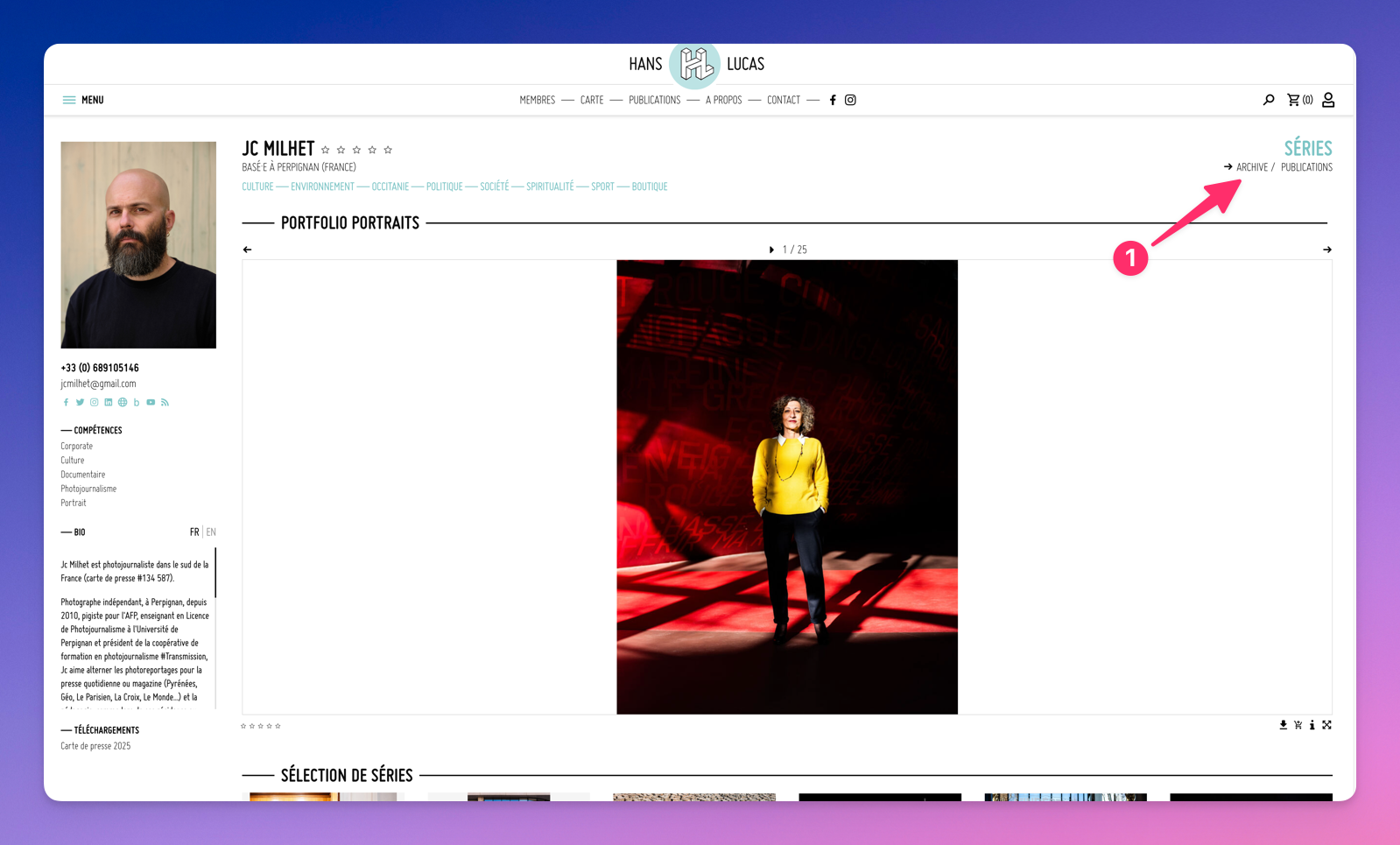
- Choosing “Archive only” displays the series on your member archive page (hanslucas.com/username/series).
Special case (rarely used):
- “Corporate – category” statuses let you set the series category on corporate.hanslucas.com (corporate.hanslucas.com/activite/entreprise). These statuses are enabled case by case with specific contracts.
Show on Homes
Controls whether your series will be visible on Hans Lucas public pages (homepage, thematic or regional sections). Enable it when your topic is current affairs; this highlight will help iconographers looking for recent visuals.
Exclusive series
When enabled, your series will show only 5 images to visitors who are not logged in.
Name (FR/EN)
Sets the public name of the series.
Summary (FR/EN)
Used for natural SEO in the series description.
Text (FR/EN)
Sets the public description of the series.
Images
This field allows you to:
- View images (as thumbnails or in a viewer)
- Order images (drag and drop)
- Perform a set of actions on one or more images using a contextual menu
- Access information on exports and their individual statuses
Import images
This field allows you to import images.
Prints
Displays a “Order a paper print” link on the public series page, pointing to an online form. Off by default.
Keywords
Allows associating up to 4 keywords max with the series. These keywords appear on the public series page and on thematic pages.
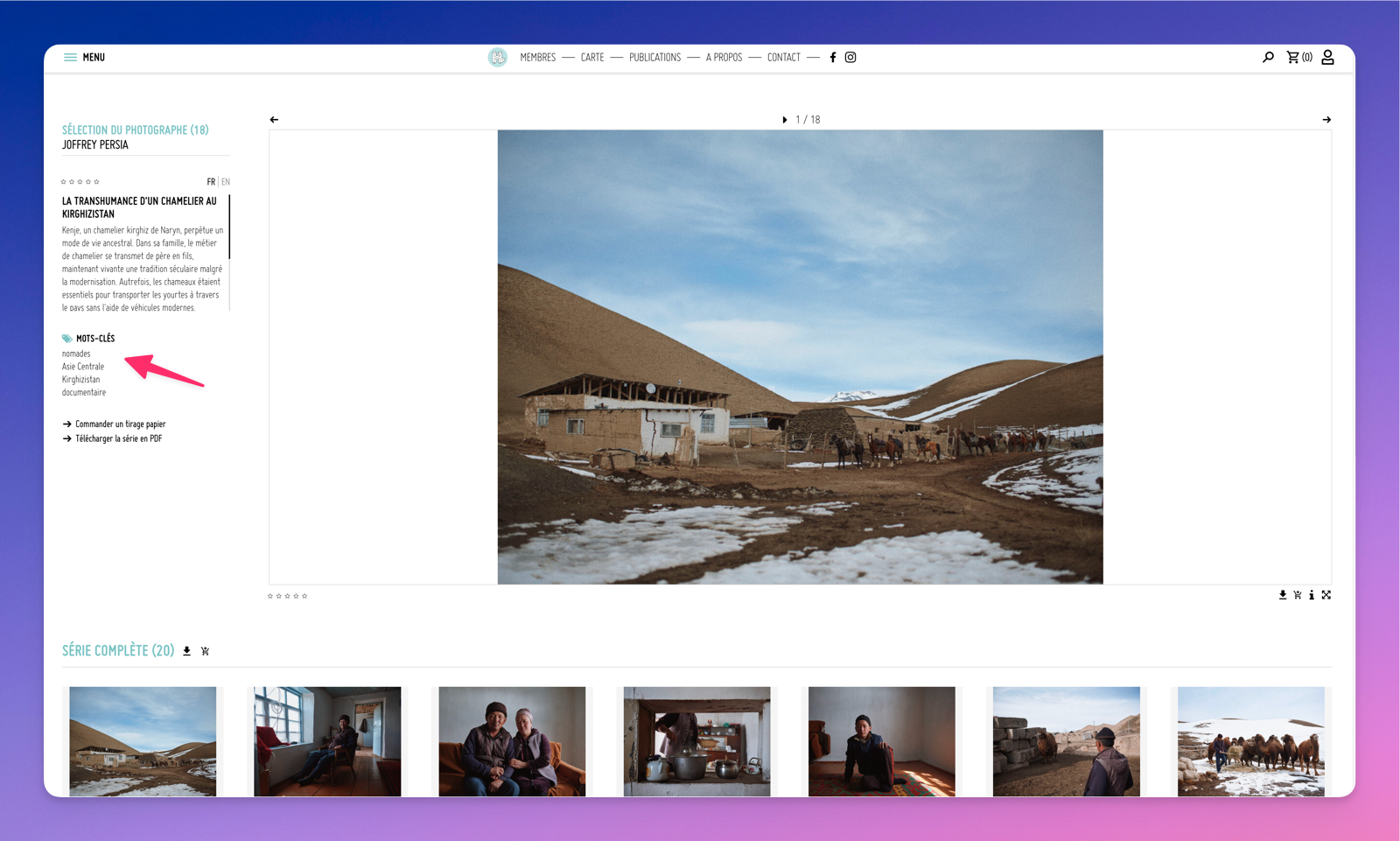
If a photographer believes a keyword is missing, they can request it from Wilfrid Estève.
Links
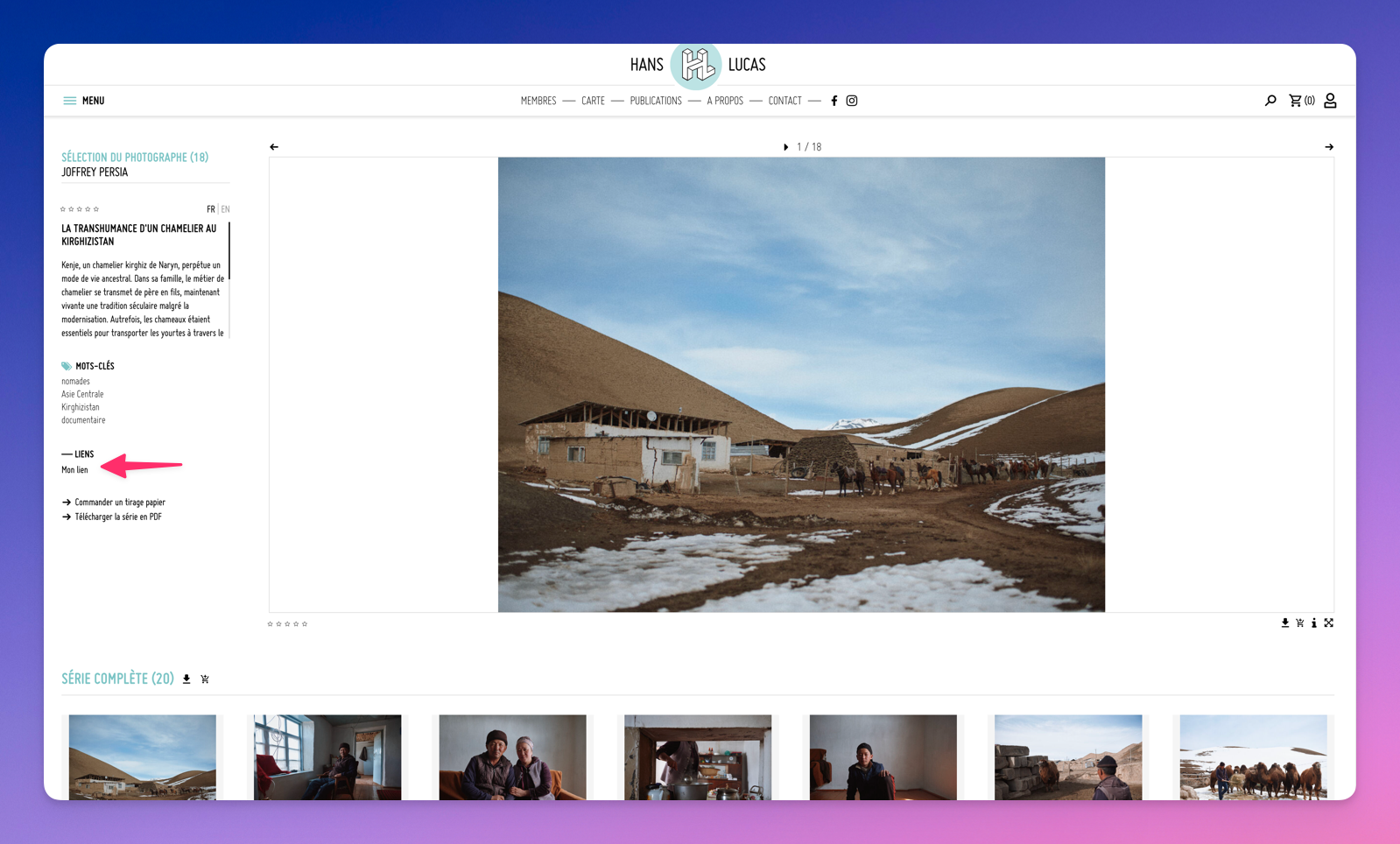
Displays complementary links for the series, external or internal, on the public series page.
Series exports
Displays exports of the images within this series.
Assistant
Provides information about the series and lets you perform various actions on the series and its images.
Series list
You can view all your series on mdall.hanslucas.com/groupes.
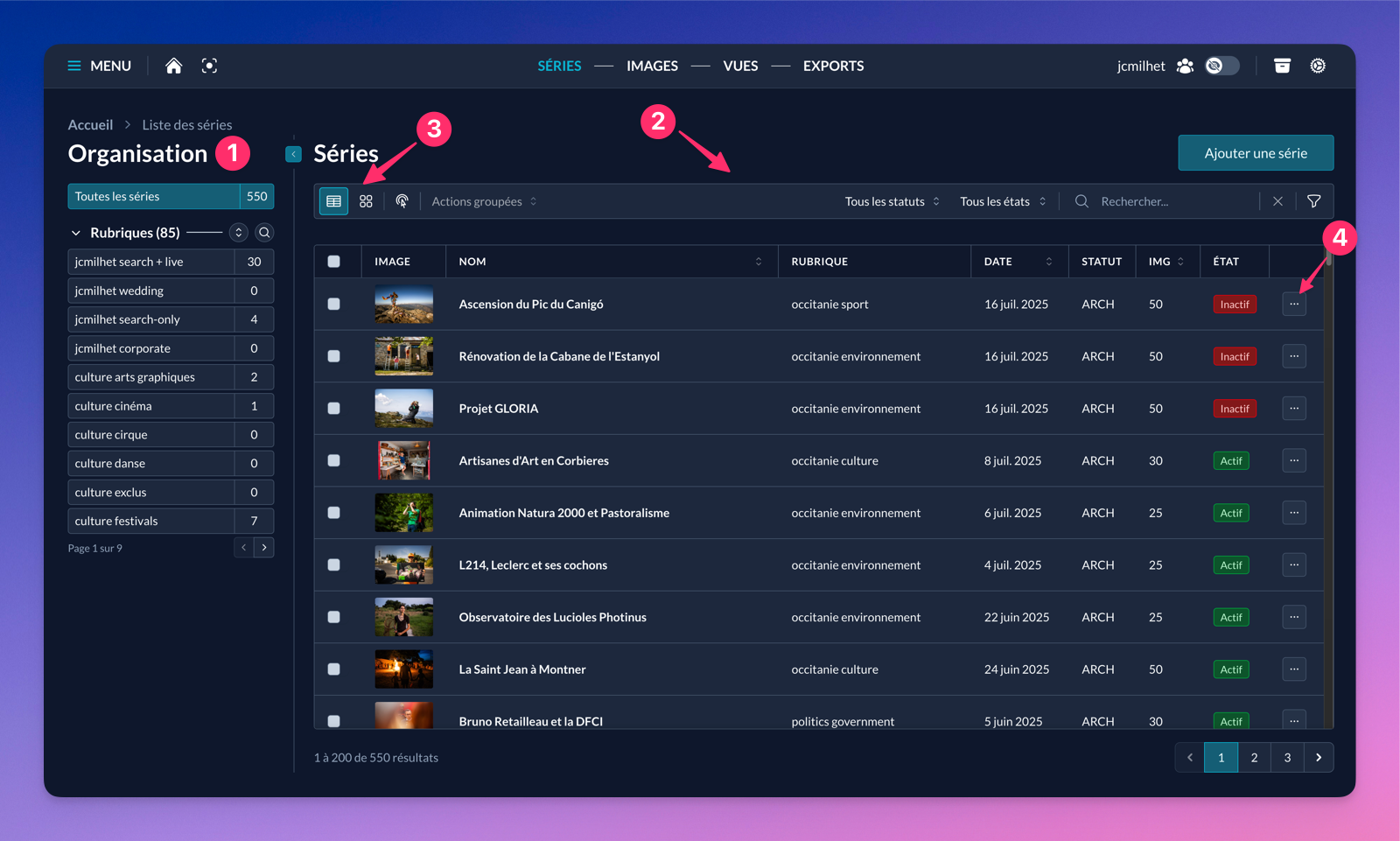
Here’s how the interface is organized:
- The organization panel lets you sort series by section and shows the number of series per section.
- The filter bar is multi-purpose. It groups action buttons or filters that impact the displayed series.
- The display mode buttons let you show series in table or grid. Each layout has advantages and useful information.
- The per-series action buttons let you manipulate the item or navigate to its edit page.